QR Ordering Without App Download
Guests scan a room or table QR code, browse food photos, choose options and add-ons, leave notes, and submit the order from their phone.
 QR room service, kitchen flow, payments, and stock control
AgreeMeet gives hotels a QR guest menu, reception validation hub, kitchen display system, payment-ready checkout, inventory deduction, and SaaS tenant controls in one practical platform.
Best Selling Points
AgreeMeet is not only a digital menu. It connects the full order lifecycle from guest request to kitchen production, payment tracking, stock movement, and management review.
Guests scan a room or table QR code, browse food photos, choose options and add-ons, leave notes, and submit the order from their phone.
Reception or service staff can review, edit, approve, or reject orders before they reach production, reducing wrong-room orders and unavailable item issues.
Approved orders move into a visual KDS board with todo, cooking, ready, and done transitions so kitchen status is clear across the team.
When an order is completed, mapped ingredients are deducted with stock movement logs, low-stock signals, receiving, and wastage tracking.
Support room charge workflows today and activate tenant-scoped Xendit payment channels, payment status checks, and supervisor reconciliation when needed.
Each tenant keeps operational data isolated while platform admins manage tenants, plans, subscriptions, usage limits, access roles, and permissions centrally.
See AgreeMeet in Action
Give guests a simpler way to order while hotel teams validate requests, coordinate kitchen work, and keep stock activity visible from one practical platform.
A room-service experience guests can use in seconds.
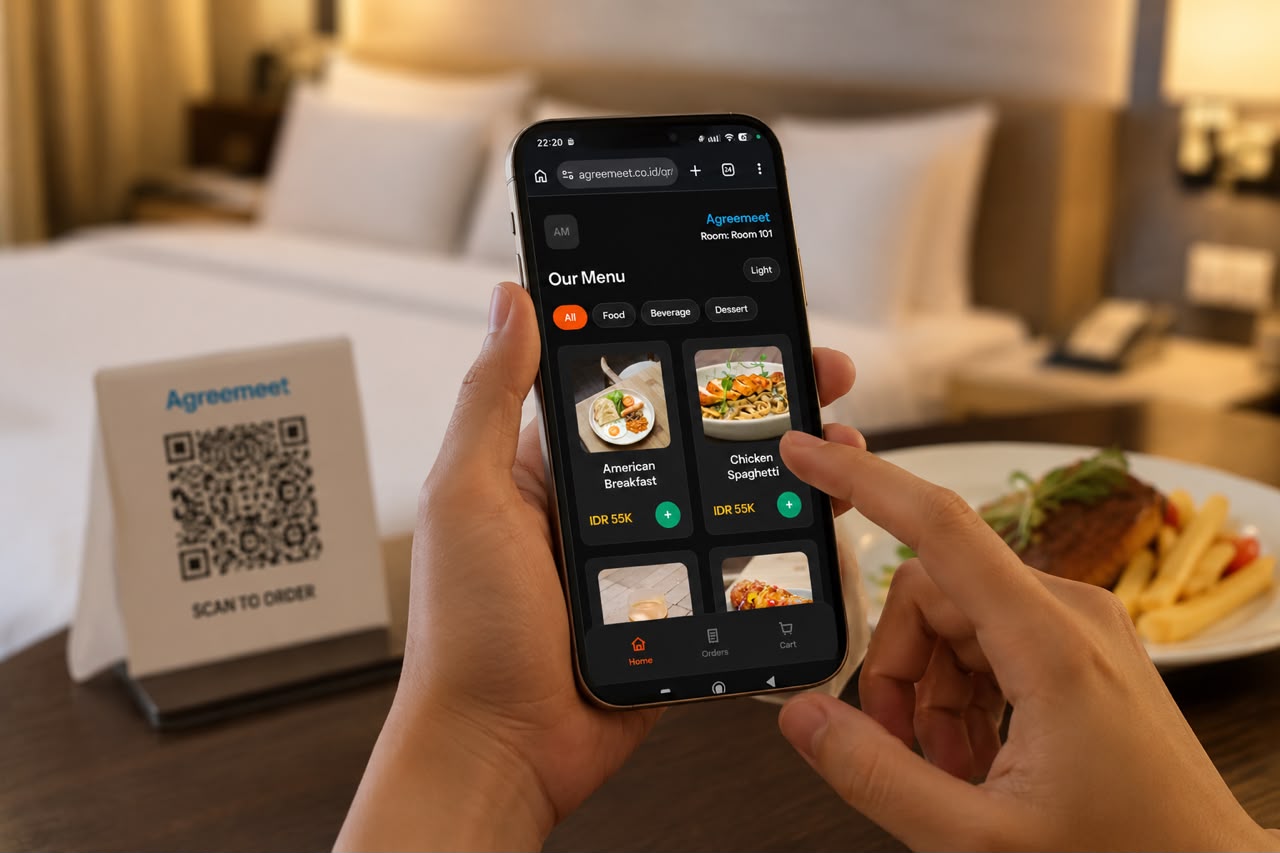
Guests scan the room QR code, explore a visual menu, customise their selection, and place an order without waiting on a phone call.
Catch order issues before they reach the kitchen.
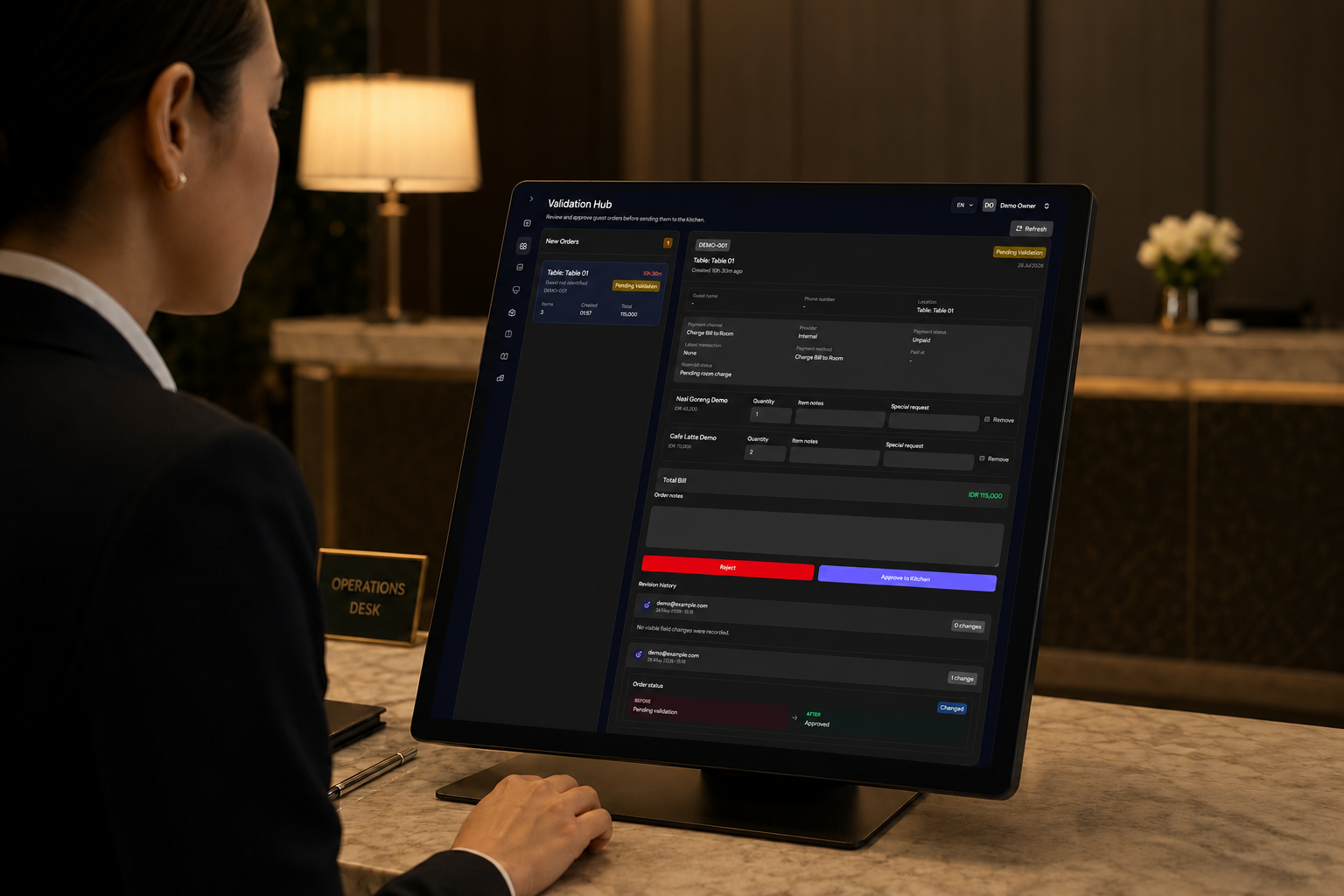
Reception or service teams can review incoming requests, confirm room details and availability, then approve or reject with a clear audit trail.
Keep every approved order moving through the kitchen.
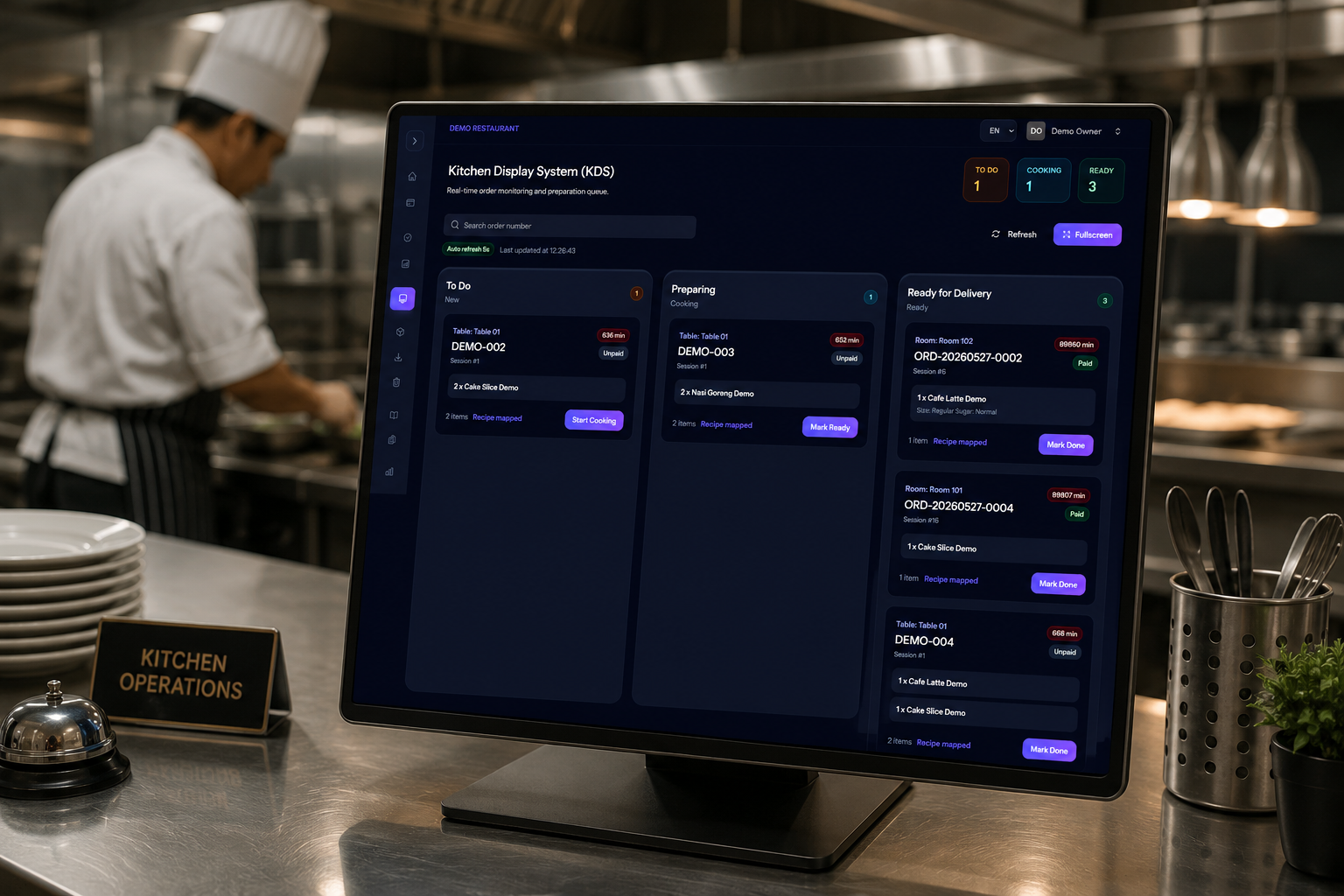
The kitchen receives validated orders in a clear production board, helping the team move work from the queue through cooking and readiness.
Turn completed orders into clearer operational insight.
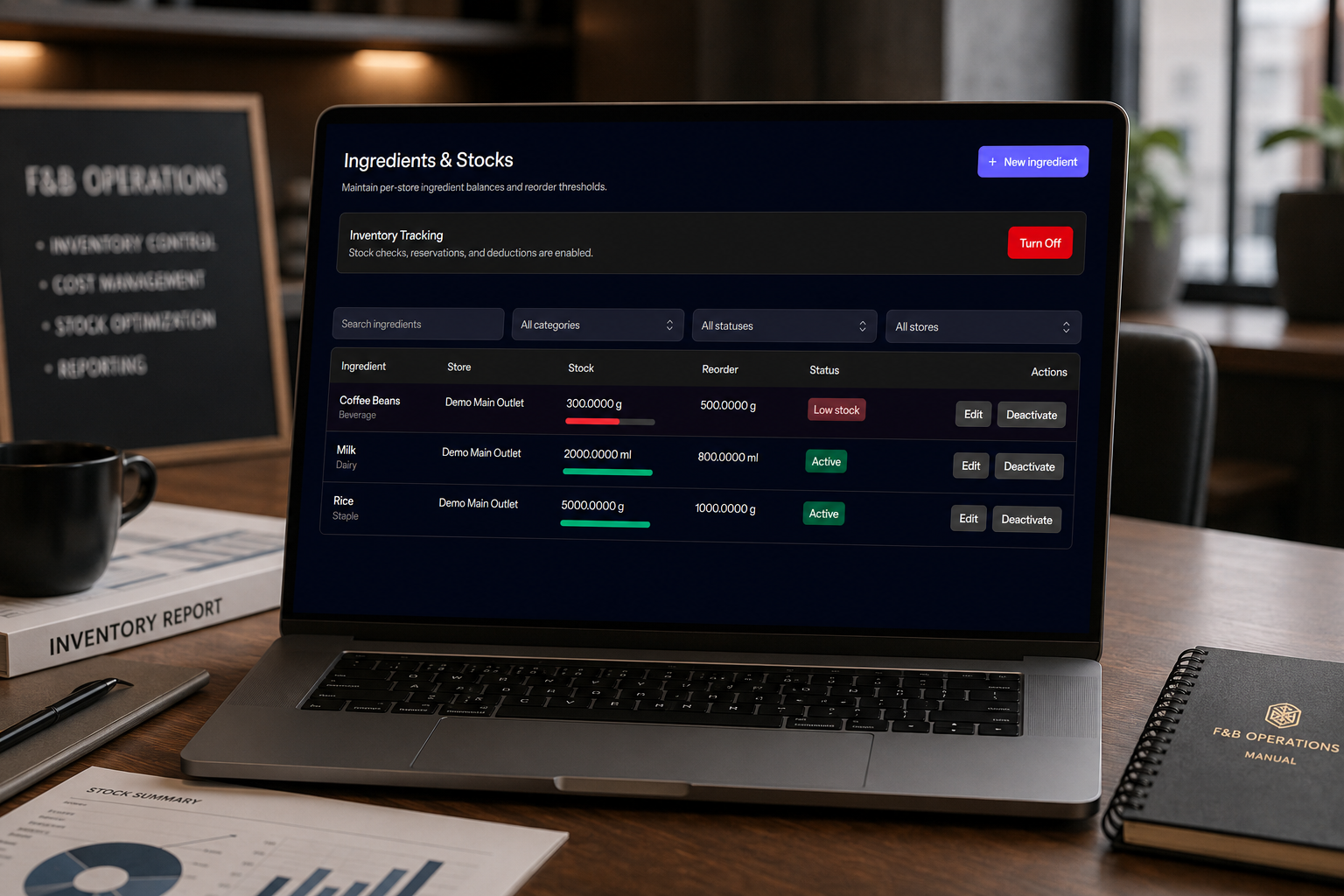
Recipe mappings, stock movements, low-stock signals, and reports help managers understand what was ordered and how inventory changed.
Use Cases
AgreeMeet keeps the guest experience simple while giving hotel teams the checkpoints they need before an order reaches the kitchen.
Guests order breakfast, snacks, coffee, or late-night meals directly from a room QR menu.
Table QR codes can route food and beverage requests to the right outlet or service point.
Front office validates guest details, notes, availability, and payment method before kitchen handoff.
Kitchen teams receive approved orders with item notes, options, and status movement.
Food teams maintain menu categories, item images, add-ons, and ingredient recipe mapping.
Hotels can support room charge first, then activate online payment channels when ready.
How It Works
Set categories, item images, descriptions, prices, options, add-ons, and recipe mapping.
Create QR codes for rooms or tables so every order knows where it came from.
Reception reviews incoming orders, approves to the kitchen, or rejects with a reason.
Kitchen updates status while managers review orders, reconciliation, and service signals.
Why AgreeMeet
Room-service ordering touches the guest, reception, kitchen, cashier, and management team. AgreeMeet keeps each role clear without making the guest experience feel complicated.
About
AgreeMeet helps hotels shape room-service food ordering around real service needs: guest convenience, reception validation, kitchen preparation, payment readiness, and operational visibility.
The goal is not to force every hotel into one rigid process. It is to make a clear foundation that can start simple and expand as the food and beverage operation needs more structure.
Contact
Share how guests order food today, how reception checks requests, how the kitchen receives orders, and how payment is handled. AgreeMeet can start with one practical room-service flow and expand over time.